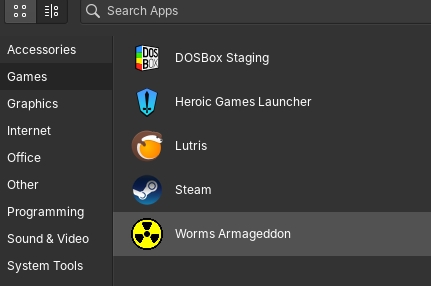
I’m using elementaryOS as my daily-driver, and part of that is getting my old games working correctly. Although Team17 has changed, they had provided, in the past, patches to work with Linux for their older games. Unfortunately, older guides around the web are not working for my environment.
Image the CD
If you haven’t already, create an ISOs folder somewhere the regular user can access, and create an ISO of the original CD ROM:
mkdir ~/ISOs -p
cd ~/ISOs
dd if=/dev/cdrom of=wa.iso
Next, mount it (requires sudo permissions):
sudo mkdir /mnt/worms
sudo mount -o loop,ro wa.iso /mnt/wa
You should be able to, as a regular user, read the file listings of /mnt/wa.
Install Wine32
This is the part that finally worked for me, since many other “patches” did not work.
sudo dpkg --add-architecture i386
sudo apt update
sudo apt install wine32:i386
This gets the 32-bit version of WINE.
Install Worms: Armageddon
mkdir ~/wa -p
WINEARCH=win32 WINEPREFIX=~/wa winecfg
# When the winecfg opens, ensure that a drive is mounted with the CD ROM (i.e. D:). If so, close out of this window.
# Assuming D is the letter of the drive
cd ~/wa/dosdevices
# Run an `ls -l` to see if a file called `d::` is symlinked to the ISO. If not...
rm d::
ln -sv /home/USERNAME/ISOs/wa.iso d::
# Now run the installer
WINEARCH=win32 WINEPREFIX=~/wa winefile
# Navigate to D: (at the top) -> Install -> Install.exe. Do not ask it to install DirectX 6
Download the latest patch:
Navigate to Worms 2D Info Patches mirror to get the latest patch. Download it, then run it in your WA environment:
WINEARCH=win32 WINEPREFIX=~/wa wine ~/Downloads/WA_update-3.8.1_\[CD]_Installer.exe
Finally, we can run Worms:
WINEARCH=win32 WINEPREFIX=~/wa wine wa.exe
Make it permanent (usable on reboot)
sudo nano /etc/fstab
Add the below lines as required:
# For ISOs
/home/USERNAME/ISOs/wa.iso  /mnt/wa auto    loop    0   0
Save, then test it before rebooting:
sudo umount /mnt/wa
sudo mount -a
# Note: It's OK for the below warning:
#   mount: /mnt/wa: WARNING: source write-protected, mounted read-only.
mount
You should see your ISO properly mounted again.
Create a script to run WA from the command line
Open your favourite editor, and use the script below:
#!/usr/bin/env bash
WINEARCH=win32 WINEPREFIX=~/wa wine ~/wa/drive_c/Team17/Worms\ Armageddon/wa.exe
Create a .desktop file (shortcut icon)
Open your favourite text editor, and use the template below:
[Desktop Entry]
Name=Worms Armageddon
Exec=env WINEPREFIX="/home/USERNAME/wa" wine C:\\\\Team17\\\\Team17\\\\Worms\\ Armageddon\\\\wa.exe
Type=Application
StartupNotify=true
Path=/home/USERNAME/wa/dosdevices/c:/Team17/Worms Armageddon
Icon=920E_wa.0
StartupWMClass=wa.exe
Categories=Game
… and save the file in /usr/share/applications/worms-armageddon.desktop.